How to Write Fraction Formulas in Markdown
When writing technical documentation, academic notes, or math-related content, you often need to insert fractions and mathematical formulas in Markdown. This article introduces LaTeX fraction syntax, compares support across different editors, and recommends an out-of-the-box online tool.
LaTeX Fraction Syntax Basics
Markdown itself doesn't natively support math formulas, but extensions allow you to embed LaTeX syntax for math rendering, including fractions.
Fractions in LaTeX are typically written as \frac{numerator}{denominator}:
- Block-level formulas (standalone line): wrap with double dollar signs
$$...$$ - Inline formulas (embedded in text): wrap with single dollar signs
$...$
For example, the fraction can be written as an inline formula: Inline: $\frac{1}{2}$.
The result:
Inline:
Or as a block-level formula:
Block-level:
$$
\frac{1}{2}
$$
The result:
Block-level:
Popular Markdown Editors
Typora
Typora is a powerful Markdown editor that supports LaTeX math formulas. The downside is that it's paid software.

One thing to note:
(a) Typora does not support inline math by default
Typora only renders block-level formulas ($$...$$) by default. Inline formulas ($...$) are displayed as plain text and won't be rendered as math.
(b) You need to enable inline math support in settings
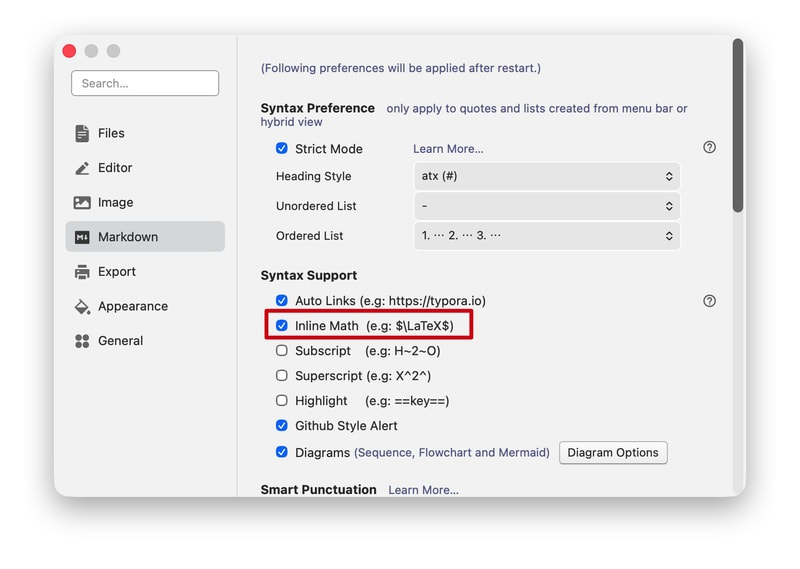
To use inline formulas, enable the relevant option in Typora:
Go to Typora → Preferences (or Settings), find the Markdown settings, and under Syntax Support, check Inline Math. Restart Typora to apply.
After enabling, inline formulas like $E = mc^2$ and $\frac{a}{b}$ will render correctly.
(c) Settings interface
Obsidian
Obsidian is another powerful, free Markdown editor.
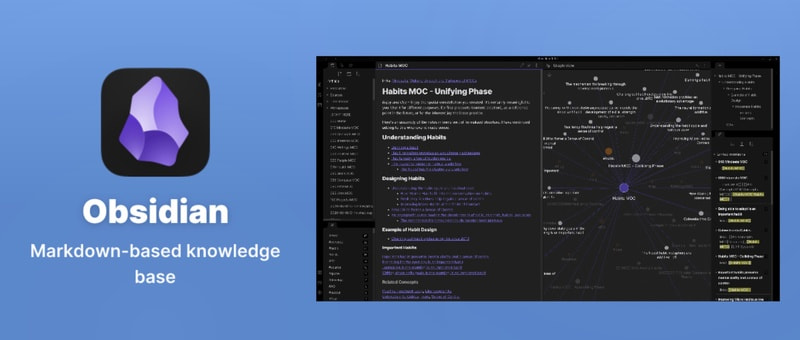
(a) Inline math supported by default
Obsidian supports inline LaTeX formulas out of the box with no extra configuration. Type $\frac{1}{2}$ or $x^2 + y^2 = z^2$ in your notes and the preview will show the formulas correctly. This is very convenient for users who frequently write math or physics notes.
Online Tool: Markdown Viewer
If you'd rather not fuss with local editor settings, or need to quickly preview Markdown with formulas in the browser, try Markdown Viewer.
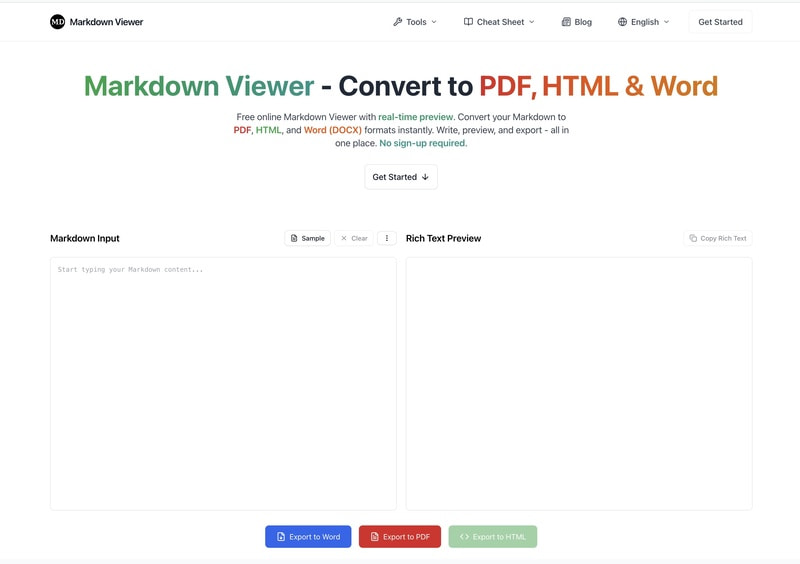
markdownviewer is a free online Markdown viewing and export tool that supports both inline and block-level formulas by default, with no configuration needed. You can type Markdown on the left, preview in real time on the right, and export to PDF, HTML, or Word.
Common Formula Examples
Here are some complex formula examples that markdownviewer renders correctly:
1. Quadratic formula:
Markdown: $x = \frac{-b \pm \sqrt{b^2 - 4ac}}{2a}$
Result:
2. Euler's identity:
Markdown: $e^{i\pi} + 1 = 0$
Result:
3. Gaussian integral:
Markdown: $\int_{-\infty}^{\infty} e^{-x^2} \, dx = \sqrt{\pi}$
Result:
4. Sum of natural numbers:
Markdown: $\sum_{k=1}^{n} k = \frac{n(n+1)}{2}$
Result:
5. Limit:
Markdown: $\lim_{x \to 0} \frac{\sin x}{x} = 1$
Result:
6. Partial derivative:
Markdown: $\frac{\partial^2 f}{\partial x \partial y}$
Result:
7. 2×2 matrix:
Markdown:
$$
\begin{pmatrix} a & b \\ c & d \end{pmatrix}
$$
Result:
8. Complex formula example:
Markdown:
$$
\begin{align*}
y = y(x,t) &= A e^{i\theta} \\
&= A (\cos \theta + i \sin \theta) \\
&= A (\cos(kx - \omega t) + i \sin(kx - \omega t)) \\
&= A\cos(kx - \omega t) + i A\sin(kx - \omega t)  \\
&= A\cos \Big(\frac{2\pi}{\lambda}x - \frac{2\pi v}{\lambda} t \Big) + i A\sin \Big(\frac{2\pi}{\lambda}x - \frac{2\pi v}{\lambda} t \Big)  \\
&= A\cos \frac{2\pi}{\lambda} (x - v t) + i A\sin \frac{2\pi}{\lambda} (x - v t)
\end{align*}
$$
Result:
Whether it's a simple or complex integrals, matrices, and more, Markdown Viewer renders them correctly. Visit markdownviewer.cc to get started—it's free and requires no registration.